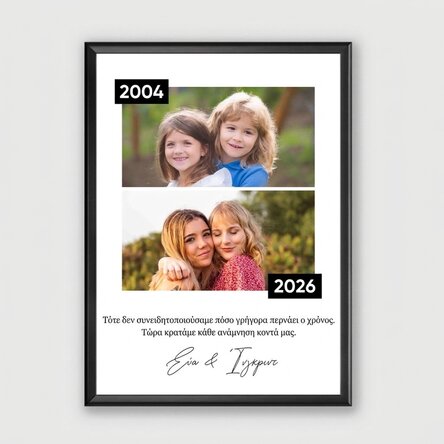
Personalised picture frame with 2 photos and a message – Then and now
23.07 €
Product code: 30746
Product code: 30746








You might also be interested in ...


Product description
A touching personalised canvas, specially created to capture the beauty of the passing of time and unforgettable memories. Choose two special photos – one from the past and one from the present – and we’ll turn them into a unique gift. Perfect for birthdays, parents, grandparents or couples, this canvas highlights the evolution of a life story full of beautiful moments. A personalised gift idea that brings smiles, nostalgia and emotion with every glance.
What can I personalise?
The print can be personalised with 2 photos and text.
How do I personalise it?
Step 1: Click the ‘Personalise’
button Step 2: Click on a sample photo and then click the green button at the bottom ‘Upload photos’ (The images will be saved for later use)
Step 3: Select the photos from your computer, phone or tablet. The upload will start immediately.
Step 4: Choose a section of the product where you want to use the image.
Step 5: Choose the photo you want to appear in the selected section.
Step 6: If necessary, you can edit the photo by adjusting its position, zoom or rotation.
Step 7: When you are happy with the result, click the "Confirm" button and continue with the next photo.
Step 8: Click on the sample text. Edit the custom message and choose the background colours.
Step 9: Once you have finished customising, click the "Finish" button, choose the product format and add the product to your basket.
Note:
Black, white, red and gold frames: glass + plastic frame.
Aluminium frame: glass + aluminium frame.
What can I personalise?
The print can be personalised with 2 photos and text.
How do I personalise it?
Step 1: Click the ‘Personalise’
button Step 2: Click on a sample photo and then click the green button at the bottom ‘Upload photos’ (The images will be saved for later use)
Step 3: Select the photos from your computer, phone or tablet. The upload will start immediately.
Step 4: Choose a section of the product where you want to use the image.
Step 5: Choose the photo you want to appear in the selected section.
Step 6: If necessary, you can edit the photo by adjusting its position, zoom or rotation.
Step 7: When you are happy with the result, click the "Confirm" button and continue with the next photo.
Step 8: Click on the sample text. Edit the custom message and choose the background colours.
Step 9: Once you have finished customising, click the "Finish" button, choose the product format and add the product to your basket.
Note:
Black, white, red and gold frames: glass + plastic frame.
Aluminium frame: glass + aluminium frame.
Reviews
Write a review
Reviews
Write a review
Verified buyer
Personalised picture frame with 2 photos and a message – Then and now
Pentru rapiditate si seriozitate
Vera, Romania
Verified buyer
Personalised picture frame with 2 photos and a message – Then and now
Sunt produse diversificate , pt toate ocaziile.Timpul de asteprare scurt, nu sunt probleme cu transportul.
Karina, Romania
Verified buyer
Personalised picture frame with 2 photos and a message – Then and now
Sunt extrem de placut impresionata de fiecare data de rapiditatea comenzilor, de calitatea foarte buna a produselor si de atentia acordata detaliilor fiecarui produs in parte. Va multumesc !
Laura, Romania
Verified buyer
Personalised picture frame with 2 photos and a message – Then and now
Comanda a venit foarte repede si produsul este de calitate.
Corina C, Romania
Verified buyer
Personalised picture frame with 2 photos and a message – Then and now
Calitate produs
Livrare prompta
🤗
Andreea, Romania
Verified buyer
![Review photo Thermos with handle and straw personalised with a photo by Dana]()
Personalised picture frame with 2 photos and a message – Then and now
Tot ce am comandat am primit impecabil!

Dana, Romania












 United States